

Direct answer
Salesforce outage CRM resilience cost map: what CRM buyers should take from it
Salesforce's September 16 outage turns CRM resilience into a support-ops cost issue. Even after the provider restores service, buyers still need to find stalled cases, failed scheduled jobs, delayed integrations, confused customers and incomplete status evidence. The budget is not only uptime. It is the customer workflow behind status monitoring, communication, triage, replay, integration cleanup and closure proof.
Published 9/17/2026. News event: 9/16/2026.
What happened
- The Register reported September 16 that an hours-long Salesforce outage caused severe delays, intermittent errors and inability to access some services.
- The same report said the disruption hit hundreds of instances across regions including the United States, Japan, India, the United Kingdom, France and Germany.
- The Register's live updates said support case creation was affected and that some customers later reported scheduled jobs not running as expected.
- The report said mitigation narrowed later to a subset of Hyperforce instances while targeted restarts and manual recovery continued.
- Salesforce Trust status details indexed after the incident said storage and system resource exhaustion caused instability and that affected systems were cleared and services restarted.
- Barron's and Investor's Business Daily tied the outage to Dreamforce week and market attention around Salesforce's AI and investor messaging.
Why this is trending
- CRM outages create customer-facing work even when the failed system belongs to a SaaS provider.
- Support teams may need to explain delays, open temporary intake paths, tag affected cases and protect customers from duplicate work.
- Scheduled jobs, automations, integration syncs and outbound notifications can fail quietly after the main access problem appears resolved.
- Executives often see the status page before they see the backlog, which makes operational evidence easy to underfund.
- Dreamforce timing made the outage highly visible because Salesforce was promoting AI, platform and partner announcements at the same time.
The CRM Costs take
A CRM buyer should treat vendor outages as a funded support workflow, not as an external status-page event. The buyer needs owners for status watch, customer communications, temporary intake, case tagging, failed-job replay, integration queues, supervisor review and closure evidence. Without that map, the helpdesk spends the next day discovering what broke after customers already noticed.
CRM Resilience Cost Map
A CRM and support-ops buyer map for budgeting SaaS incident status watch, customer communications, case triage, failed-job replay, integration queues and closure proof.
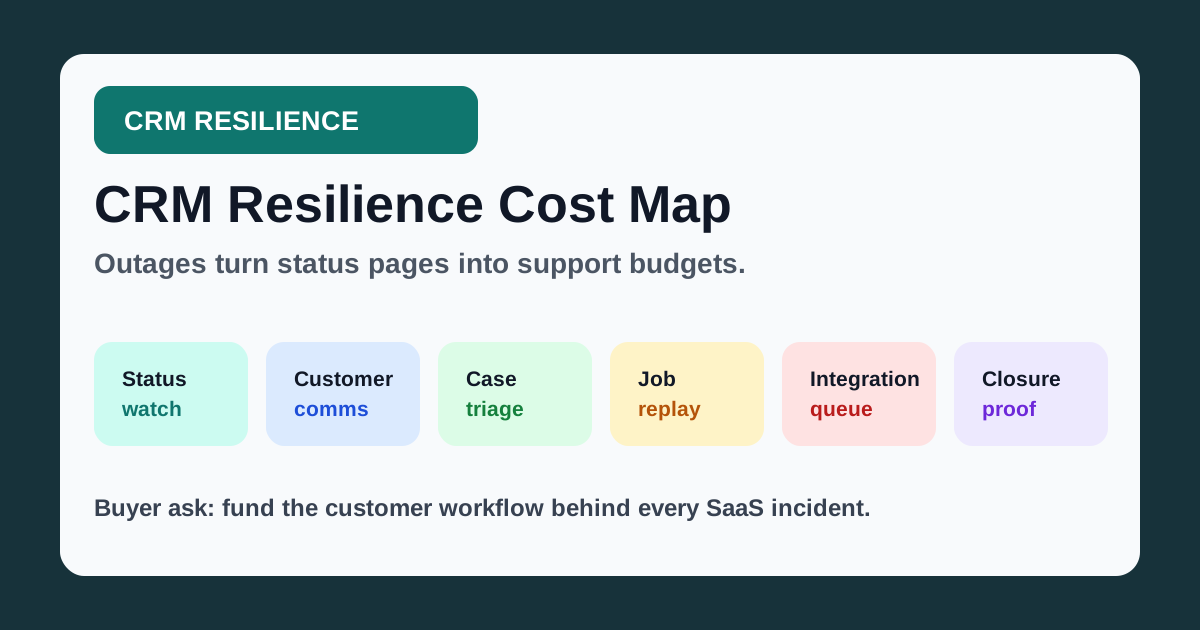
Name a status owner and maintain an incident sheet with provider update time, affected systems, local evidence and next decision.
Prepare approved outage language, temporary intake channels, callback rules and a customer-update cadence.
Tag the incident window, sort affected records by promise time and assign owners for urgent customer follow-up.
Build a failed-job checklist with replay owner, duplicate-send guardrails, sample verification and rollback path.
Freeze risky automations, check retry queues, reconcile changed records and document any duplicates or gaps.
Keep a closure packet with timeline, affected workflows, customer messages, replay logs, QA samples and unresolved issues.
What buyers should do next
Buyer FAQs
Is a CRM outage only an IT problem?
No. IT watches the platform, but support operations must handle customer communication, temporary intake, case triage, automation replay, integration cleanup and closure evidence.
What is the first buyer control after a SaaS outage?
Tag the incident window and assign owners. Without tags and owners, teams cannot prove which records, jobs, integrations or customer promises were affected.
What should buyers check after the vendor reports recovery?
Check failed scheduled jobs, delayed cases, duplicate records, missed notifications, integration retries, customer callbacks and QA samples before closing the internal incident.