

Direct answer
1Password AI agent governance customer data access support proof map: what CRM buyers should take from it
1Password's July 2026 AI Agent Governance survey says AI agents are moving into production faster than access controls and accountability. Help Net Security independently covered the same theme, warning that agents can reach data no one approved. Support-ops buyers should respond with an AI Agent Access Governance Map before agents touch tickets, CRM records, knowledge bases, refunds, escalations, or customer data.
Published 7/30/2026. News event: 7/28/2026.
What happened
- 1Password said it surveyed 500 U.S. IT and security professionals and 500 developers about AI agent adoption and governance.
- The survey found 46% of developers are using AI agents in production environments and another 45% expect to use agents in the next two years.
- 1Password reported that 71% of respondents said AI agents have access to customer data, sensitive IP, or HR information.
- The same survey found 62% of respondents report gaps in how their company manages agents.
- 1Password said 47% of developers had an AI agent take unintended action after following instructions embedded in untrusted content, and 74% of developers had seen unintended consequences.
- Help Net Security covered the governance gap on July 29 and highlighted problems with unapproved data reach, persistent credentials, thin logging, and unclear accountability.
Why this is trending
- The survey connected AI agents to real operating controls: production use, sensitive data, credentials, prompt injection, auditability, and accountability.
- The story landed as support, sales, CRM, and engineering teams are connecting agents to customer systems rather than using them only as writing assistants.
- Help Net Security's independent security framing made the topic useful buyer-risk news instead of a simple vendor survey.
- Support operations are especially exposed because agents may summarize tickets, open CRM records, draft replies, call internal tools, update refunds, and handle escalation context.
The CRM Costs take
A CRM or support buyer should not approve an AI agent because it can complete a workflow demo. The buyer needs an AI Agent Access Governance Map: the agent identity, who authorized it, what credentials it can use, which support records it can read or write, how untrusted content is contained, what logs prove each action, how access expires, who is accountable, and what recovery work starts when the agent misuses customer context.
AI Agent Access Governance Map
A CRM and support-ops buyer framework for validating AI agent access across identity, credential scope, customer data, prompt-injection exposure, audit trails, revocation, accountability, and recovery.
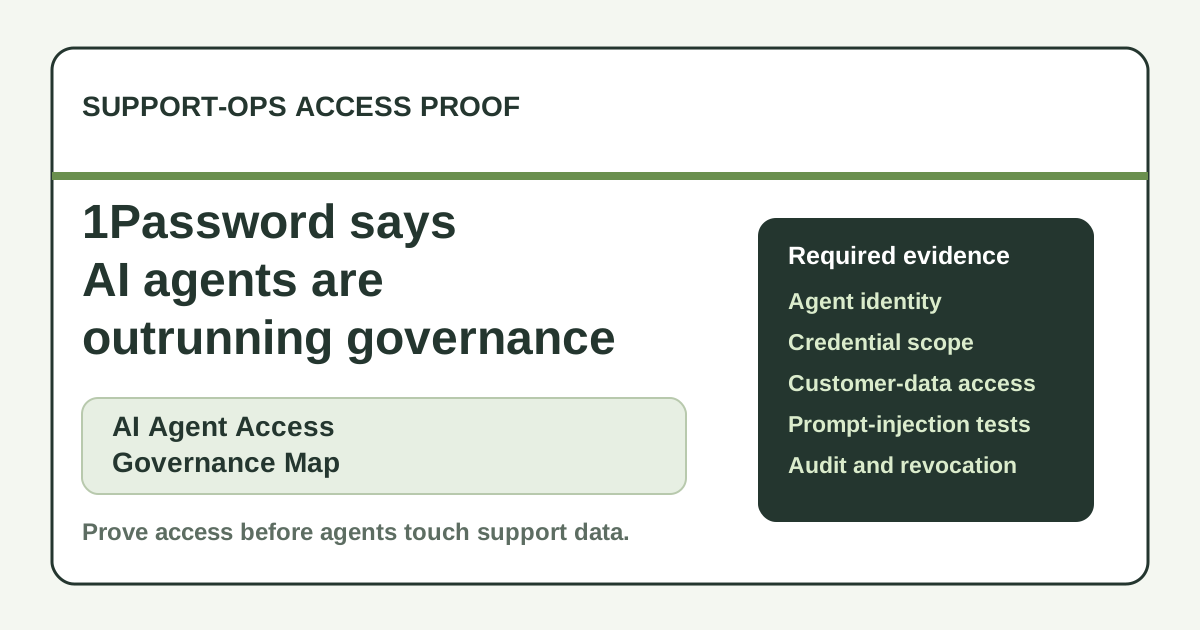
Require named agent identities, owner records, authorization logs, workflow purpose, environment, and approval history.
Map each credential to task scope, expiration, rotation, revocation owner, break-glass rule, and evidence log.
Create field-level and object-level access rules for CRM, helpdesk, knowledge, billing, refunds, and escalation records.
Define untrusted-content handling, blocked tool calls, human review triggers, source labels, and test cases.
Require complete audit trails for access grants, tool calls, record writes, approvals, denials, exceptions, and reviewer notes.
Write a revocation and recovery runbook with kill switch, credential expiry, affected-record report, customer notice, and post-incident review.
What buyers should do next
Buyer FAQs
What did 1Password's survey find about AI agents?
1Password reported that 46% of developers use AI agents in production, 71% of respondents said agents can access customer data, sensitive IP, or HR information, and 62% reported security gaps in agent management.
Why does this matter to support operations?
Support agents can reach CRM records, tickets, billing context, knowledge bases, refunds, and escalation notes. If access is broad or poorly logged, one AI workflow can create customer-data, compliance, and recovery risk.
What proof should buyers ask for first?
Ask for an agent identity inventory, credential scope map, customer-data access rules, prompt-injection controls, audit trail, revocation workflow, and recovery evidence.