

Direct answer
DHS HSIN breach information sharing platform SharePoint workflow data risk July 2026: what CRM buyers should take from it
DHS confirmed a cyber incident involving an unclassified legacy information-sharing environment tied to the Homeland Security Information Network, or HSIN. BleepingComputer reported that the platform supports information sharing among government and private-sector partners and that Nextgov sources said attackers also targeted a SharePoint collaboration system. Support operations buyers should use the incident as a shared-workflow data-risk test for CRM portals, helpdesk spaces, partner workrooms, and collaboration systems.
Published 7/5/2026. News event: 7/1/2026.
What happened
- BleepingComputer reported on July 1, 2026 that DHS was investigating a cyberattack that compromised HSIN, a sensitive information-sharing platform used by federal, state, local, and private-sector partners.
- DHS told BleepingComputer it had isolated affected systems, mitigated the vulnerability, launched a forensic investigation, and had no indication that classified networks were impacted.
- BleepingComputer said Nextgov first reported the intrusion and that sources described targeting of HSIN servers and a SharePoint system used for collaboration.
- UpGuard summarized the incident as a high-severity breach reported July 1, with potential risk around security planning and coordination data while the investigation continued.
- For support operations, the lesson is portable: shared workflow tools can expose case notes, access lists, partner context, event procedures, handoff records, and incident decisions when access and logs are not tightly managed.
Why this is trending
- The story ties cybersecurity to a collaboration platform used by many types of partners, not only a single internal application.
- The World Cup security-planning angle raised public attention because shared workflows can involve real operational coordination, not just static documents.
- Support and CRM teams increasingly centralize work in portals, shared inboxes, knowledge bases, spreadsheets, and SharePoint-like spaces, so a government sharing-platform breach feels directly relevant to buyer risk.
The CRM Costs take
A CRM or support-ops buyer should not approve a shared portal because it makes collaboration easier. The buyer needs a workflow data-risk map: which records enter the space, which partners can see them, which logs prove access, what notification path applies, who owns customer recovery, and how operations continue if the shared environment is isolated.
Shared Workflow Data Risk Map
A buyer framework for auditing CRM, helpdesk, SharePoint, portal, and partner-workroom risk across access scope, workflow data, logs, incident notification, recovery ownership, and retained support coverage.
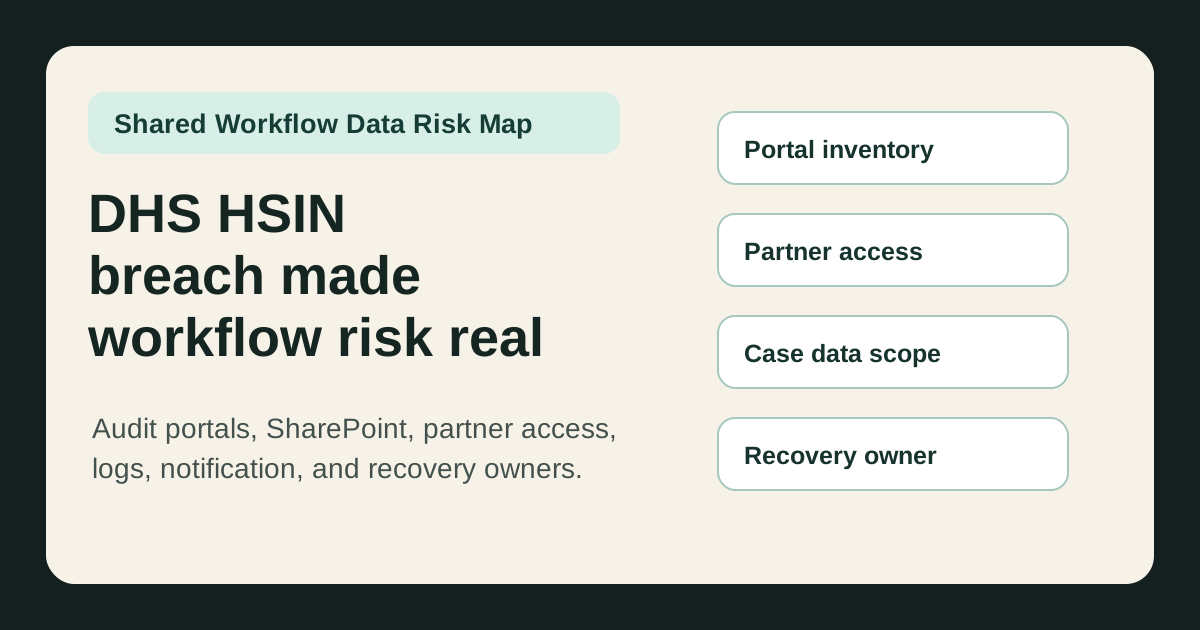
Build an inventory with owner, data class, retention rule, external users, access review date, and shutdown owner.
Review external users, groups, inherited permissions, stale accounts, export rights, and emergency access paths.
Classify copied data, reduce unnecessary fields, block sensitive attachments, and document approved transfer paths.
Define log sources, retention, alert triggers, evidence owner, and review cadence for shared workflow spaces.
Write recovery roles, customer-update templates, partner notification rules, fallback queues, and backlog cleanup owners.
What buyers should do next
Buyer FAQs
What is HSIN?
HSIN is the Homeland Security Information Network, a DHS platform used to share sensitive but unclassified information among government, international, and private-sector partners for coordination, incident response, alerts, and critical information sharing.
Did DHS say classified systems were affected?
DHS told BleepingComputer there was no indication that classified networks were impacted and described the incident as involving a specific unclassified legacy information-sharing environment.
Why does this matter to CRM and support operations buyers?
Support teams often copy customer and workflow data into shared portals, partner workrooms, helpdesk views, and collaboration systems. If access, logs, retention, and recovery ownership are weak, a shared workspace breach can become a customer-risk and operations-continuity problem.